How to make an AI rap video of your pet
 AI Rap Video Maker
A step-by-step guide to turning one pet photo into a 5- or 15-second rap video: choosing the photo, writing a verse, picking the frame and fixing common problems.
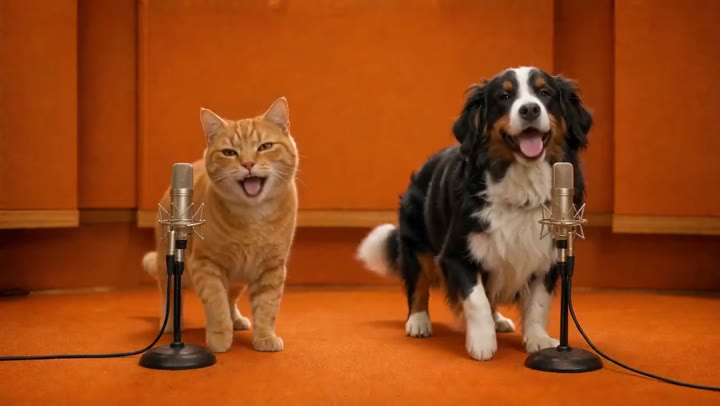
An AI rap video turns a still pet photo into a short performance: your pet appears in an orange recording studio, next to a microphone, moving and "rapping" to a beat. Here is how to get a good result on the first try.
1. Pick the right photo
The photo decides how your pet looks in the video, so it matters most.
- One pet, clearly visible. Eyes, ears and muzzle should be sharp and unobstructed.
- No people. Any human face — even in the background — makes generation fail.
- Enough body in frame. A little of the chest and front legs gives the model room to animate movement.
- Avoid blur. Motion blur, blankets or carriers covering the pet lead to strange results.
For a pet duo, upload two separate photos — one pet each. The first becomes the performer on the left, the second on the right.
2. Choose the audio
You have two options:
- Create from lyrics. Write a short English verse and pick a style (playful bounce, neon trap or chill boom bap). Keep it short: about 24 words for 5 seconds and 72 words for 15 seconds. Original lines work best — the music service may refuse lyrics that look like an existing song.
- Upload your own audio. Use an MP3, WAV, M4A or an MP4 with sound. Drag the highlighted window on the waveform to choose exactly which 5 or 15 seconds drive the performance.
3. Set the frame
- 9:16 for TikTok, Reels and Shorts.
- 1:1 for feeds and profile posts.
- 16:9 for YouTube and duo scenes, where two pets need width.
Choose 720p for the sharpest result. You can also turn off the generated sound if you plan to add a trending sound inside the app you post to.
4. Generate and download
Generation usually takes 3–7 minutes. You can leave the page — the video is saved in My videos for 30 days. If something goes wrong, the seconds are returned to your balance automatically.
Troubleshooting
| Problem | Try this | | ------------------------------- | ------------------------------------------------------------------- | | Generation failed straight away | Make sure no person or human face is visible anywhere in the photo. | | The music was rejected | Rewrite the lyrics in your own words, or upload your own audio. | | The pet looks different | Use a sharper, front-facing photo with even lighting. | | Body is cut off | Use a photo with more of the pet visible, or switch to 16:9. |
Ready? Make your pet's rap video.